
Shape / Pitch & body
Start with a sin wave. Shape it as you like
Sculpt your pitch sweep. Tune the start, the landing, and everything in between to give your kick its own voice.

Follow the plugin's own help tour.
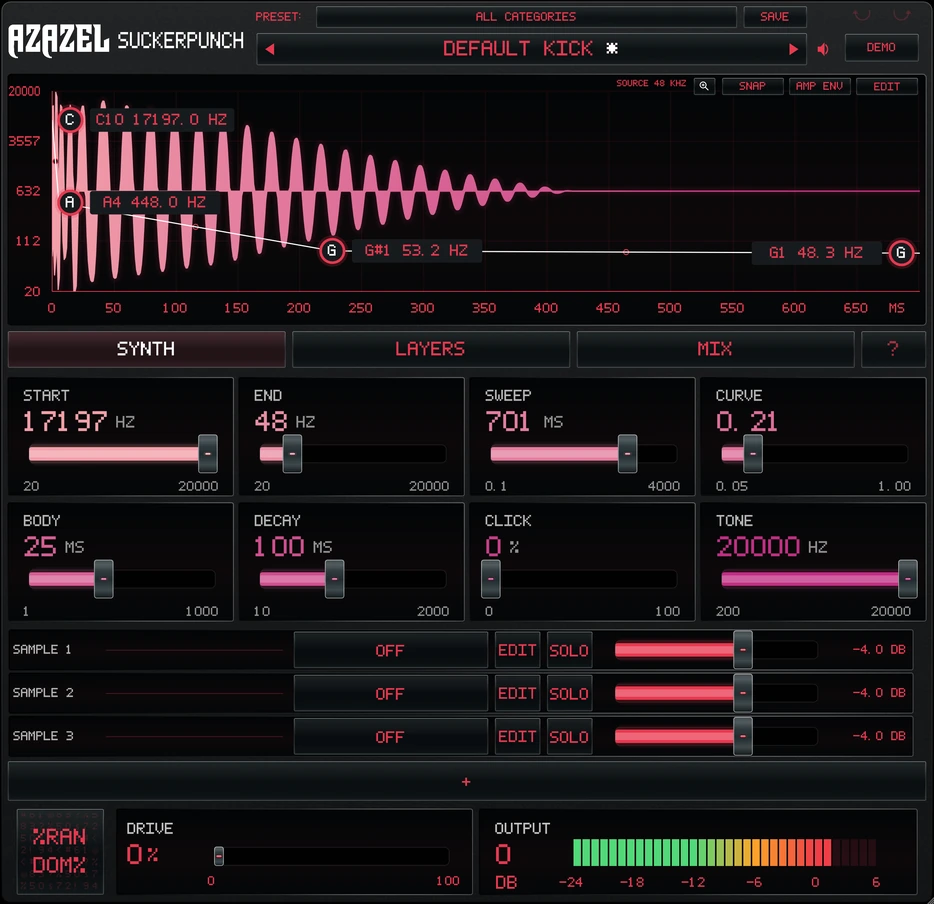
Click the preset name for the full list, or hover a genre to open its folder. Scrolling the name steps one preset at a time, and the star keeps favourites in their own folder.
Based on the built-in ? help. Highlighted walkthrough, not an interactive plugin instance.
A steady A2 tone. Constant pitch and amplitude.
Start with a modulated sin wave.
Add your own texture.
Sculpt your pitch sweep. Tune the start, the landing, and everything in between to give your kick its own voice.
Start with three sampler rows. Expand to ten, trim your sources, and blend attacks until the front of your kick feels right.
Your layers. Maximum Expression.Balance your sounds, control the dynamics, and choose your distortion deliberately. Shape the character as you like. Drag it out into your DAW or play with MIDI.
Browse by genre. Save your favorites. Edit the parameters or try randomization to take a familiar starting point somewhere new.
Start with a shape. Turn a control. Hit the pad.
Explore kick synthesis right in your browser.
BROWSER PLAYGROUND / 120 BPMDrag the four pitch nodes. Auto snap: D, E and F from octave 1 through 8. Arrow keys also work.
A simplified browser synth for exploring pitch, sweep, decay and drive. This is not the native Suckerpunch engine; plugin sound and features differ. Audio starts only when you press play.
Releases November 1, 2026. Join the list for launch updates.